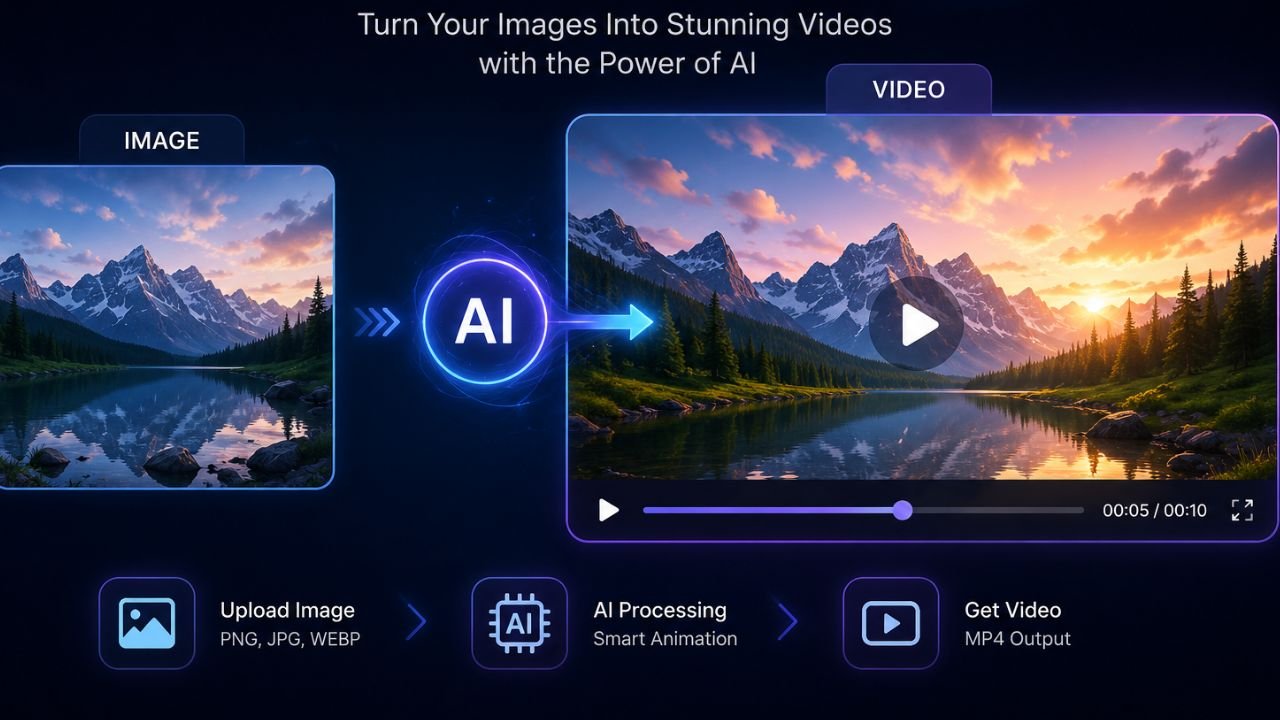
AI image generation has changed completely. What cost money just two years ago is now available for free — and the quality is stunning.
In 2026, you no longer need to spend hundreds of dollars on stock photos or hire a graphic designer for basic creative work. With the right free tool, you can generate professional-quality images in seconds using just a text description (called a “prompt”).
But here’s the problem: there are now hundreds of AI image tools, and most are not worth your time.
I personally tested over 15 tools over the past 3 months using the same set of 10 prompts — everything from simple portraits to complex architectural scenes. This guide covers only the tools that genuinely impressed me.
Whether you’re a blogger, small business owner, social media manager, or just someone who wants to make creative images without paying — this guide is for you.
What to Look for in a Free AI Image Generator
Before diving into the list, here’s what I evaluated each tool on:
- Image quality – Does it look realistic or artistic as intended?
- Prompt accuracy – Does the AI understand what you asked for?
- Free plan generosity – How many images can you generate for free?
- Speed – How long does each image take?
- Watermarks – Are free images watermarked?
- Commercial use – Can you use the images for business?
- Ease of use – Is the interface beginner-friendly?
The 7 Best Free AI Image Generators in 2026
1. Google Gemini (Nano Banana 2) – Best Overall Free Tool
Free Plan: Yes | Watermark: No | Commercial Use: Check terms
Google’s Nano Banana 2 model, built into Gemini, is the most impressive free AI image generator available right now. During my testing, it consistently produced the most realistic and detail-accurate results of any tool on this list.
What makes it stand out:
- Extremely accurate prompt following — it captures small details like reflections, textures, steam from a cup, and raindrops
- No separate signup required if you have a Google account
- Works directly in the Gemini chat interface
- Supports aspect ratios through natural language (just say “create a 16:9 image”)
- Can combine multiple uploaded images as references
Free plan limitations:
- Daily generation limits apply on the free tier
- Higher limits require Google AI Pro ($19.99/month) or AI Plus ($7.99/month)
Best for: Anyone who wants the best quality without paying anything.
How to use it: Go to gemini.google.com → type your prompt → add “generate an image of…” at the start.
2. Adobe Firefly – Best for Commercial Use
Free Plan: Yes (25 credits/month) | Watermark: No | Commercial Use: Yes
Adobe Firefly is the safest choice if you plan to use images for business. Adobe trains Firefly exclusively on licensed and public domain content, which means every image you generate is commercially safe — no copyright worries.
What makes it stand out:
- “Generative Fill” lets you edit photos using AI — not just generate new ones
- Style presets make it easy to get consistent results
- Tight integration with Adobe Express (free) and Photoshop
- Content credentials are embedded, showing the image was AI-generated
Free plan limitations:
- Only 25 generative credits per month — they go fast
- Some advanced features require Creative Cloud subscription
Best for: Bloggers, marketers, and small businesses who want copyright-safe visuals.
3. Microsoft Designer / Bing Image Creator (DALL·E) – Best for Beginners
Free Plan: Yes (limited daily “boosts”) | Watermark: No | Commercial Use: Personal use
Microsoft’s image tool powered by OpenAI’s DALL·E model is one of the easiest to use. There’s no learning curve — you describe what you want in plain English, and you get four image options within seconds.
What makes it stand out:
- Completely free with a Microsoft account
- Fast generation speeds
- Works inside Microsoft 365 (Word, PowerPoint) if you have a subscription
- Good for photorealistic and illustrated styles
- No artistic knowledge needed to get good results
Free plan limitations:
- “Boost” credits for fast generation are limited; slower queue after that
- Less creative control than professional tools
Best for: Beginners, students, and casual users who want quick results.
4. Canva AI (Dream Lab) – Best for Designers and Content Creators
Free Plan: Yes (limited monthly uses) | Watermark: No | Commercial Use: Yes (with attribution)
Canva’s AI image generation inside Dream Lab is a fantastic choice if you’re already using Canva for social media posts, presentations, or marketing materials. You generate an image and immediately drop it into your design — zero friction.
What makes it stand out:
- Images go directly into your Canva canvas
- Dozens of art styles to choose from
- Works on mobile app (great for on-the-go content creators)
- Background remover + AI image generation in one workflow
Free plan limitations:
- Free plan includes limited image generations per month
- Canva Pro unlocks unlimited generations and premium styles
Best for: Social media creators, small business owners, and anyone already using Canva.
5. Ideogram – Best for Text in Images
Free Plan: Yes (10 free images/day) | Watermark: No | Commercial Use: Check terms
One of the biggest limitations of most AI image generators is that they handle text inside images terribly — words come out blurry, misspelled, or distorted. Ideogram was built specifically to solve this problem.
What makes it stand out:
- Best-in-class text rendering inside AI images
- Excellent for poster designs, quotes, and thumbnail art
- Simple, clean interface
- Good prompt adherence overall
- 10 free generations per day — generous for a free plan
Best for: Thumbnail creators, poster designers, and anyone who needs readable text in AI images.
Real use case: I created a clean event poster with correct spelling, consistent fonts, and a realistic background in under 2 minutes — something that would have taken hours manually.
6. Craiyon (formerly DALL-E mini) – Best for Unlimited Free Use
Free Plan: Yes (unlimited) | Watermark: Yes (free tier) | Commercial Use: With paid plan
Craiyon is the most “no-strings-attached” free AI image generator. You don’t need an account, there are no daily limits, and you can generate images immediately. The trade-off? Quality is lower than the premium tools.
What makes it stand out:
- Truly unlimited free generations
- No signup required
- Good for quick mockups and experimental prompts
- Fast enough for casual use
Free plan limitations:
- Watermark on free images
- Lower image quality compared to Gemini or Firefly
- Ads displayed on the free interface
Best for: People who want to experiment freely without any limits or account creation.
7. NightCafe – Best for Creative and Artistic Styles
Free Plan: Yes (5 free credits/day) | Watermark: No | Commercial Use: Yes
NightCafe has been around since the early days of AI art and has grown into a polished platform with a strong community. It stands out for its variety of artistic styles and models — including SDXL, DALL·E, and others — all in one place.
What makes it stand out:
- Choose from multiple AI models in one interface
- Huge variety of art styles (oil painting, watercolor, anime, photorealistic)
- Strong community to share and get feedback
- Daily free credits that you can earn through community engagement
- No watermark on generated images
Free plan limitations:
- Only 5 base credits per day (each image may cost 1–5 credits depending on settings)
- Faster/higher-quality generations cost more credits
Best for: Artists, hobbyists, and anyone who wants creative variety and an active community.
Side-by-Side Comparison Table
| Tool | Free Images/Day | Watermark | Commercial Use | Best For |
|---|---|---|---|---|
| Google Gemini | Limited (daily cap) | No | Check terms | Best overall quality |
| Adobe Firefly | 25/month | No | Yes | Commercial-safe images |
| Microsoft Designer | Unlimited (slower queue) | No | Personal use | Beginners |
| Canva AI | Limited/month | No | Yes | Designers |
| Ideogram | 10/day | No | Check terms | Text in images |
| Craiyon | Unlimited | Yes (free) | Paid plan | No-limit experimenting |
| NightCafe | 5 credits/day | No | Yes | Artistic styles |
How to Write Good Prompts (For Better Results)
Even the best AI image generator will produce mediocre results with a weak prompt. Here’s a simple formula that works across all tools:
[Subject] + [Setting/Background] + [Style] + [Lighting] + [Mood/Tone]
Weak prompt: “a dog on grass”
Strong prompt: “a golden retriever sitting on lush green grass in a sunlit park, photographed with a DSLR camera, soft bokeh background, warm afternoon lighting, peaceful and happy mood”
Quick Tips:
- Be specific about colors, textures, and materials
- Mention the camera angle (eye-level, bird’s eye view, close-up)
- Add lighting details (golden hour, studio lighting, soft natural light)
- Include style references (photorealistic, watercolor, 3D render, anime)
- Describe what you DON’T want using negative prompts where available
Frequently Asked Questions
Yes, but always read the terms of service. Some tools (like Adobe Firefly) are explicitly safe for commercial use. Others restrict commercial use on free plans. If you’re using images for business, double-check the licensing terms.
This varies by tool. Most platforms grant you rights to images you generate, but some retain a license to use them in their marketing. Adobe Firefly and NightCafe give you clear ownership. Always check the terms for your specific tool.
In 2026, most AI images can be detected by specialized tools and sometimes by trained human eyes. Adobe Firefly automatically embeds Content Credentials metadata. Google Gemini images are also marked. If transparency is important for your use case, disclose that your images are AI-generated.
Based on my testing, Google Gemini (Nano Banana 2) produces the highest quality images on the free plan. For photorealism and prompt accuracy, it outperforms all other free options tested.
Writing vague prompts. “A beautiful landscape” gives the AI very little to work with. “A misty mountain valley at sunrise with pine trees, golden light hitting the peaks, realistic photography style” gives you something to actually use.
Final Verdict: Which Free AI Image Generator Should You Use?
There’s no single “best” tool — the right choice depends on your needs:
- You want the best quality for free → Google Gemini (Nano Banana 2)
- You need commercial-safe images → Adobe Firefly
- You’re a complete beginner → Microsoft Designer
- You’re a content creator using Canva → Canva AI (Dream Lab)
- You need text inside your images → Ideogram
- You want unlimited free generations → Craiyon
- You want artistic styles and community → NightCafe
My personal recommendation for most people: start with Google Gemini. It’s free, requires no extra signup, and the image quality in 2026 is genuinely impressive. Once you hit the limits, explore Ideogram or Adobe Firefly depending on your use case.
About This Article
This article was written based on hands-on testing of each tool listed. Images were generated using 10 standardized test prompts across categories including portraits, landscapes, product photography, and poster design. Results were evaluated for quality, prompt accuracy, and usability. This guide is updated regularly as tools evolve.
Read Related Blogs: