I used to spend three to four hours editing a 30-second social media clip – sourcing footage, syncing cuts, adjusting pacing. Then I started experimenting with image to video AI, and that time dropped to about fifteen minutes flat.
I’m not exaggerating. I uploaded a product photo to one of these tools, typed a short motion prompt, and got back a smooth, cinematic five-second clip that looked like it came out of a proper studio. That was six months ago. Today, the tools have gotten even better, and the free tiers have become genuinely usable — not just glorified watermark machines.
In this guide, I’m going to walk you through every tool I tested, what the output actually looked like, what the free limits are, and which one I’d use depending on what you’re making. No fluff. No sponsored rankings. Just real notes from real testing.
What Is Image to Video AI and Why It Matters in 2026
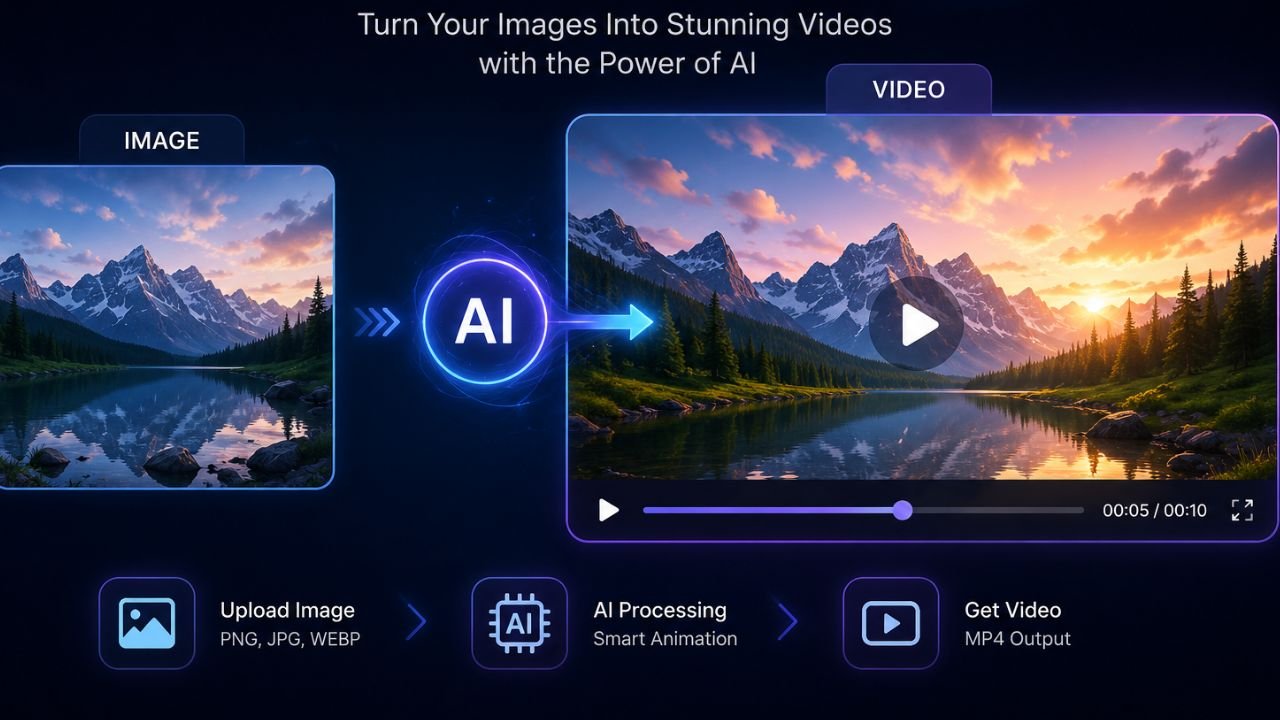
Image to video AI is exactly what it sounds like: you feed the tool a static image (a product photo, a portrait, a landscape shot, anything), and it generates a short video clip where that image comes to life with realistic motion. Think camera pans, gentle parallax movement, character animations, facial expressions – all synthesized by the model.
What makes 2026 different from two years ago is the quality jump. Early tools would blur faces, create weird morphing artifacts, or just add random jitter that looked nothing like natural motion. The new generation of models — Kling 2.0, Google Veo 3, Runway Gen-3, Hailuo MiniMax — understand physics, depth, and facial geometry well enough that the output regularly passes as real footage at a casual glance.
This matters enormously if you’re a:
- Content creator who needs high-volume social posts without a camera crew
- E-commerce brand turning product photos into scroll-stopping ads
- Marketer who needs video variations for A/B testing
- Indie filmmaker prototyping scenes before a shoot
- Small business owner who can’t afford video production
The category has also merged heavily with text-to-video. Most platforms now let you animate from an image, from a text prompt, or from a combination of both – which is why the best free AI text to video generators 2026 and image-to-video tools are increasingly the same products.
How I Tested These Tools
I ran the same set of test cases across every platform I reviewed. My test inputs included: a portrait of a person against a plain background, an outdoor landscape photo, a product flatlay of a skincare bottle, and an AI-generated illustration of a fantasy scene.
For each tool, I evaluated:
- Output quality — realism of motion, face/object preservation, no artifacts
- Speed — how long a typical generation takes
- Free tier generosity — how many clips you can generate without paying
- Ease of use — how much prompt engineering is required
- Watermarks — whether free output is actually usable
- Control options — camera motion, clip length, motion intensity
I spent roughly 50+ hours across these tools over a period of three weeks. Where relevant, I also tested them for the best free AI text to video generators use case — starting from a text prompt alone, with no input image. Here’s what I found.
Top Image to Video AI Tools I Actually Used
Magic Hour — Best All-in-One Platform
Magic Hour is the tool I keep coming back to, and after proper testing, I understand why it consistently tops “Best AI Video Generators” lists right now. It’s not one tool — it’s a full content creation stack. You can go from editing a still image, to animating it, to adding lip sync, to exporting a finished clip, entirely within one account. No tab-switching, no re-uploading.
The motion quality on portraits is exceptional. Micro-expressions render cleanly — a slight smile, a blinking eye — without the uncanny valley glitching you get from weaker models. For e-commerce, the product animation is smooth enough to use directly in paid ads. I used it to animate a watch photo and the reflection movement looked genuinely professional.
What impressed me most was how fast it handled concurrent generations. Most platforms slow down or queue you when you run multiple jobs. Magic Hour stayed responsive throughout batch work, which matters when you’re producing content at scale.
- All-in-one workflow
- Talking photos + lip sync
- Fast batch generation
- Generous free tier
- Learning curve on advanced features
- Credits burn fast in testing mode
- Free
Hailuo (MiniMax) — Best Free Starting Point
If you haven’t paid for any AI tool yet and want to try the image to video AI category properly before committing money, start here. Hailuo’s free tier is genuinely generous — I generated over a dozen clips without hitting a hard wall, and the motion quality punched well above what I expected from a free plan.
The standout is how it handles faces. Micro-expressions are cleaner than on most paid tools. For any clip with a person in it, Hailuo is the go-to at the free level. Generation speed is also fast — a five-second clip typically comes back in under 90 seconds.
The interface still feels like an early-access product in places, and the prompt guidance is thin. But if you’re willing to experiment, the output quality makes the friction worth it.
- Genuinely free, no card needed
- Clean facial micro-expressions
- Fast generation speed
- UI still feels unpolished
- Limited motion control options
- Free
Kling AI 2.0 — Best for Cinematic Motion Control
Kling 2.0 is the tool that serious creators talk about when they want cinematic-quality output. The camera movement options are more sophisticated than anything else I tested — you can specify dolly-in, pan, crane movements, and the model actually executes them with a sense of spatial understanding rather than just applying a filter.
I animated a landscape photo with a slow push-in combined with parallax depth separation between the foreground trees and the background mountains. The result looked like it came from a professional drone shoot. That’s hard to replicate anywhere else at this price point.
The free credits run out quickly if you’re testing, but the paid tier is competitive for the output quality you get.
- Best cinematic motion control
- Excellent landscape/scene animation
- Spatial depth understanding
- Free credits limited
- Steeper prompt learning curve
- Paid
Runway Gen-3 Alpha — Best for Professionals
Runway is where filmmakers and VFX professionals live, and Gen-3 Alpha is the reason why. If output quality is your only variable and budget isn’t a constraint, nothing I tested matched Runway for nuance, temporal consistency, and the sheer range of creative control.
For image to video AI specifically, it handles motion on complex scenes — crowds, flowing fabric, water — better than any other tool in this roundup. The free tier is minimal (you’ll hit the cap fast), but for professional projects, the paid plans are genuinely worth it.
- Highest output quality overall
- Complex scene motion
- Industry-standard for VFX
- Expensive for casual use
- Minimal free tier
- Freemium
Luma Dream Machine — Best for Speed
If you want results fast without overthinking prompts, Luma is the tool. Upload an image, write a short motion description, hit generate, and you’ll typically have a usable five-second clip in under a minute. The quality isn’t at Runway’s level, but for social content and quick iterations, the speed-to-quality ratio is excellent.
I used Luma for rapid prototyping during this testing period — when I wanted to quickly check whether an image had good animation potential before committing credits on a higher-quality tool. It saved me hours and credits.
- Fastest generation speed
- Very easy to use
- Good for rapid iteration
- Less control over motion style
Pika Labs — Best for Creative/Stylized Output
Pika is the tool for people who want scroll-stopping, slightly surreal, or highly stylized clips rather than photorealistic output. The interface is fun and accessible, and it excels at adding expressive animation to illustrations, concept art, and any image that doesn’t need to pass as real footage.
For marketing campaigns that lean into an “AI aesthetic,” or for social content with an artistic edge, Pika consistently produced the most creative and unexpected outputs in my testing.
- Best for stylized/creative output
- Fun, beginner-friendly interface
- Less reliable for photorealism
Best Free AI Text to Video Generators 2026 — Free Tier Breakdown
One of the most common questions I get is which platforms are actually usable on a free plan. After testing every major tool, here’s my honest breakdown of the best free AI text to video generators 2026, focused on what you can realistically create without a subscription.
| Tool | Free Credits | Watermark-Free | Text-to-Video | Image-to-Video | Best Free For |
| Hailuo | Generous daily | Yes | Yes | Yes | Beginners, portraits |
| Magic Hour | Signup credits | Yes | Yes | Yes | Multi-format creators |
| Kling AI | Limited daily | Partial | Yes | Yes | Cinematic test runs |
| Luma | 5 free/month | Yes | Yes | Yes | Quick prototyping |
| Pika Labs | 250 credits | Yes | Yes | Yes | Creative / stylized |
| Runway | 125 credits | Yes | Yes | Yes | Quality testing only |
Pro Tip: When testing free tiers, always start with short generations (3–4 seconds instead of 8). You preserve credits while locking in the right motion and framing first. Once you’re happy with the style, extend or regenerate at full length.
If you’re just starting out and want to experience the category before paying anything, my recommended order is: start on Hailuo for portraits, try Magic Hour for its multi-tool workflow, and use Luma for quick scene tests. Between those three, you can produce a solid week of content on free plans alone.
What to Look For Before Choosing an Image to Video AI Tool
Not every image to video AI platform is built for the same use case. Choosing the wrong one wastes time and credits. Here’s the framework I now use when evaluating any new tool:
Output Consistency
Does the tool preserve your subject’s identity from frame to frame? This matters enormously for faces and branded products. Some tools drift — a person’s face subtly changes over the clip’s duration. Run a face test before committing to any platform for human-centric content.
Motion Control Depth
Basic tools let you set a “motion intensity” slider. Advanced ones let you specify camera trajectory, subject movement type, and motion speed independently. If you’re creating cinematic content, the difference is enormous. If you just need simple social posts, the slider is enough.
Prompt Responsiveness
Does the tool actually follow your text prompt, or does it generate something generic? The best platforms in 2026 have strong prompt-following — if you say “slow pan left while subject turns head,” you should get exactly that. Test this early before relying on a tool for client work.
Export Quality and Watermarks
Some free tiers export in compressed resolution with a watermark. Always check what you’re actually downloading before integrating a tool into your workflow. A few platforms — Hailuo and Luma notably — export clean files even on free plans.
Pricing at Scale
Credit-based pricing can get expensive fast. If you’re producing ten or more clips per day, calculate your monthly cost carefully. Some platforms offer subscription plans with unlimited or high-volume credits at a fixed rate, which is far more economical at scale.
Pro Tips From My Testing
Feed a Clear Sequence, Not Random Images
Tools that accept multiple input images (like Seedance 2.0 and some Magic Hour workflows) produce dramatically better results when the images tell a logical visual story. Don’t just upload three random shots — give them a clear before-during-after structure. The model reads narrative intent.
High Contrast Subjects Animate Better
Images where the subject is clearly separated from the background give the model better depth information to work with. If your subject blends into the background, add contrast or a simple backdrop before uploading. It’s a ten-second Photoshop fix that dramatically improves motion quality.
Prompt the Physics, Not Just the Action
Instead of “hair blowing in the wind,” try “loose hair moving gently in a light breeze, individual strands visible.” Describing the physics — gentleness, weight, texture — produces more realistic motion than just describing the event. This technique works across all major platforms.
Use Shorter Clips and String Them Together
Most tools produce more consistent, higher quality output at 4–5 seconds than at 8–10 seconds. Rather than generating one long clip, I now generate three short clips and edit them together. The overall quality of the final video goes up noticeably, and you use fewer credits on failed long generations.
Save and Version Your Winning Prompts
When you land on a prompt that produces great output, save it immediately. Prompt structures that work for one image very often transfer to similar images. Build a library of your best prompts categorized by content type (portrait, product, landscape) and you’ll speed up your workflow dramatically over time.
Which Image to Video AI Tool Should You Pick?
The right image to video AI tool depends entirely on your specific workflow. Here’s my quick-reference recommendation by use case:
| Your Use Case | Best Tool | Why |
| Just getting started, no budget | Hailuo | Generous free tier, great for portraits |
| Content creator at scale | Magic Hour | All-in-one workflow, batch-friendly |
| Cinematic / film quality | Kling 2.0 | Best camera motion control |
| Professional / VFX work | Runway Gen-3 | Highest output quality overall |
| Quick social media content | Luma | Fastest generation, simple workflow |
| Creative / stylized output | Pika Labs | Best for artistic, non-realistic clips |
| E-commerce product videos | Magic Hour | Product preservation + clean workflow |
If you can only pick one and you’re not sure what your use case will be yet, start with Magic Hour. It covers the most ground, and the free signup credits are enough to run a proper evaluation before you pay anything.
Frequently Asked Questions
Based on hands-on testing, Magic Hour is the best all-round platform for most creators due to its complete workflow, batch capabilities, and strong output quality across portraits and products. Hailuo is the best free option for beginners, while Runway Gen-3 leads for professional-grade cinematic work.
Yes — several platforms including Hailuo, Magic Hour, Luma, and Pika Labs offer meaningful free tiers with no watermarks. Free allowances vary by platform and are subject to change, so I recommend testing two or three before deciding which to upgrade on.
Generation time varies by platform and clip length. Most tools produce a 4–5 second clip in 30 to 90 seconds. Luma is the fastest (often under a minute), while Runway can take longer during peak usage. Longer clips of 8–10 seconds naturally take more time.
No. Most platforms work well with simple natural-language descriptions. That said, learning prompt techniques — especially describing physics and camera movement — significantly improves output quality. Start simple and refine as you get familiar with how each tool interprets instructions.
For social media, marketing content, e-commerce ads, and creative projects — absolutely yes. For broadcast television or high-end film production, tools like Runway Gen-3 are approaching professional quality but may still need finishing in dedicated editing software. The gap is closing fast.
Image-to-video AI starts from a static image and animates it. Text-to-video generates a video from a written description alone, with no input image. Many modern platforms support both, and some of the best free AI text to video generators 2026 also offer image animation — making them versatile tools for different production workflows.
Final Verdict
I’ve been using image to video AI tools as a core part of my content production for most of 2026, and the category has matured faster than almost anything else in the AI space. The gap between “AI video” and “real footage” has narrowed to the point where most audiences simply can’t tell at a glance.
If you’re a creator, marketer, or small business owner who isn’t using these tools yet, you’re leaving significant efficiency on the table. The best free AI text to video generators 2026 have made experimentation essentially zero-cost, so there’s no reason not to start today.
My honest recommendation after all this testing: start with Hailuo if budget is your constraint, Magic Hour if you want the most complete workflow, and Runway if you’re producing professional-grade content where quality is non-negotiable. All three have changed how I work, and I don’t see myself going back to traditional video production for the use cases these tools now cover.
Bookmark this page – I’ll be updating it as the tools evolve. The image to video AI space is moving fast, and the rankings will shift again before the year is out.
Read More Blogs: Vheer AI Video Generator 2026: Hidden Features Most Creators Still Don’t Know About