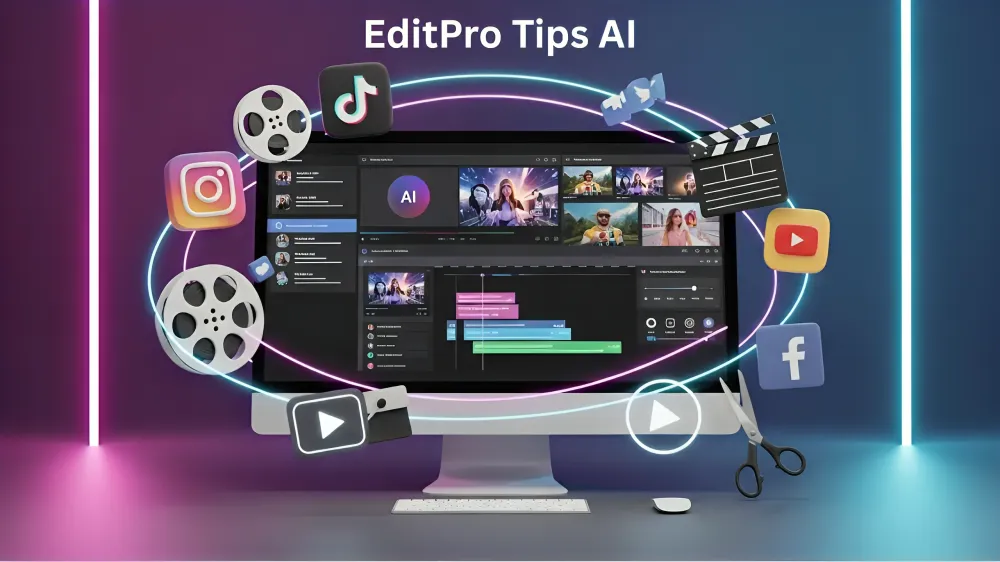
EditPro Tips AI is fast emerging as a hot topic in digital media creation. With an ever-increasing need for visually appealing content on social media, blogs, video sharing apps and other digital channels, creators are always looking for ways to produce quality visuals without spending hours or having to be a pro-level editor.
Enter EditPro AI. It is not simply an editing software – it is a fully integrated AI-assisted editing platform that makes photo and video editing easier by automating complicated tasks. Rather than having to tweak brightness, contrast, colour grading, transitions and effects, users simply need to provide instructions, and EditPro AI automatically does the work.
EditPro Tips AI leverages cutting-edge technologies such as artificial intelligence, machine learning, and visual recognition to process images and videos. It automatically identifies content, sharpens details, adjusts lighting, and applies the optimal visual style – all in a matter of seconds. This allows you to produce high-quality, professional-looking images and videos without any editing skills.
How EditPro Tips AI Helps You Edit Smarter
EditPro AI uses a system of prompts to turn your concepts into beautiful visuals. The process is designed to be efficient yet give you full control over the results.
1. Upload Your Content
Simply upload your photo or video. This system is built to process your raw content, so no need to process your media first. The AI will automatically work with whatever you send, be it a phone photo or a 4K video.
2. Type Your Artistic Intent
Rather than navigate complex editing panels, users just write what they like. You can ask for a filmic style, Instagram effects, or even a professional style. The AI processes your request and translates it into editing actions.
3. Smart AI Analysis
When you submit your prompt, EditPro AI comprehensively assesses the image. It recognises faces, objects, background, lighting and motion. This helps it identify what needs to be improved.
4. Intelligent Auto Editing
Once your content has been analyzed, the AI makes improvements to:
- Color balance
- Brightness and contrast
- Sharpness and clarity
- Transitions and motion flow
- Visual effects
Any changes are subtle to ensure a natural appearance.
5. Instant Preview & Export
A real-time preview of the result is available. Minimal adjustments can be made before exporting the final version in high resolution. It’s now ready to be shared on YouTube, Instagram or blogs.
This streamlined process takes the technicality out of the video editing process and enables more creative freedom. xity and allows creators to focus more on creativity rather than editing mechanics.
Powerful AI Features Inside EditPro Tips

EditPro Tips AI has powerful features to accelerate and enhance editing. Rather than bombarding users with complicated features, it makes editing simple with automation.
AI-Based Prompt Editing
The power of EditPro AI is its comprehension of natural language. No need to memorise editing terms. Simply tell your computer what you want, and the AI does it for you.
Smart Filters & Presets
AI-based presets dynamically adapt to lighting conditions, subject matter and composition. This guarantees that your photos and videos are well-balanced and pleasing to the eye.
Advanced Video Enhancement
Video editing is made easy with features such as motion tracking, transitions, color grading and dynamic effects. Thanks to AI, your videos have a professional appearance without having to manually adjust the timeline.
Intelligent Photo Retouching
Images are retouched for better sharpness, natural skin tones, lighting and background. The AI doesn’t create unnatural effects, resulting in a natural look.
Consistent Visual Branding
Users can save and reuse prompts to have a consistent look and feel. This is particularly helpful for influencers, brands and businesses seeking to establish a consistent brand.
Advantages of Using EditPro Tips AI
One of the main reasons why EditPro Tips AI is so popular is thanks to the numerous advantages it provides users.
Faster Editing Process
It can turn hours of editing into just a few minutes. Automation dramatically speeds up the process without compromising quality.
Cost-Effective Solution
No need to purchase costly editing tools or pay an editor. EditPro AI offers professional-quality results at an affordable price.
Enhanced Creativity
The AI takes care of the technical aspects, freeing up time to focus on creativity, content planning and storytelling.
Beginner-Friendly Interface
It’s easy for beginners to produce professional-looking designs. It’s easy to learn, so anyone can use it.
Professional-Quality Output
All content is fine-tuned for readability, proportion and aesthetics, meeting contemporary digital content standards.
EditPro Tips AI Workflow Overview
Below is a structured table that explains how the editing process works step by step:
| Step No. | Process Stage | Description |
| 1 | Content Upload | Add raw photo or video to the platform |
| 2 | Prompt Input | Describe the desired style or effect in simple language |
| 3 | AI Analysis | System analyzes lighting, objects, and composition |
| 4 | Auto Enhancement | AI applies color correction, effects, and improvements |
| 5 | Preview | Review the edited result instantly |
| 6 | Refinement | Make minor adjustments if needed |
| 7 | Export | Download high-quality final output |
This structured approach ensures both efficiency and consistency in every project.
EditPro Tips AI vs Traditional Editing Tools
Conventional editing software can be complex, needing technical skills, manual tweaks and a lot of time. Users have to navigate through layers, timelines, and settings to produce the desired effect.
This process is revolutionised by automation and simplicity in EditPro AI. Rather than tweaking a range of settings, users only need to give a command. The AI takes care of the rest.
The biggest differences include:
- No need for technical editing skills
- Faster turnaround time
- Consistent output quality
- Minimal manual effort
EditPro Tips AI is a contemporary tool for efficient and high-quality output.
How AI is Transforming Creative Editing
AI is revolutionising creativity. Software such as EditPro AI is now an editing buddy.
Through user data and visual analysis, AI can make smart choices to enhance content quality. It learns from trends, identifies patterns and evolves its editing skills.
This change enables faster and more efficient creation of high-quality content, integrating AI as a vital element in the digital content creation process.
Why EditPro Tips AI Represents the Future
There is a huge demand for quality content. Websites, blogs, and even YouTube channels need to produce engaging visuals to stand out.
EditPro Tips AI is addressing this need by:
- Automating complex editing tasks
- Reducing production time
- Improving visual quality
- Enhancing creative flexibility
The future of AI is bright, and with it comes tools like EditPro Tips AI, making editing accessible to all.
Final Thoughts on EditPro Tips AI
EditPro Tips AI is more than just a tool, it’s a comprehensive platform for creators. Through the integration of AI and user-friendly design, it eliminates technical hurdles and streamlines the editing process.
It’s perfect for social media videos, blogs, YouTube channels, and even more complex professional projects, allowing you to produce quality content in a timely manner. It allows you to be more creative, while the AI does the heavy lifting.
If you are looking for quicker results, improved visuals and intelligent editing, try EditPro Tips AI.
FAQs – EditPro Tips AI
Q1. What is EditPro Tips AI?
EditPro Tips AI is an artificial intelligence-based editing tool to create and edit photos and videos automatically with intelligent prompts and automation.
Q2. How does EditPro AI enhance content?
It uses a machine learning algorithm to assess the lighting, colour and composition and then provides smart adjustments to enhance your image to a professional standard.
Q3. Is EditPro AI free?
It may offer free or paid plans, where premium editing or exports might be essential.
Q4. Who can benefit from EditPro AI?
It’s suitable for bloggers, content creators, marketers, influencers and beginners seeking professional editing without the technical details.
Q5. What are the benefits of EditPro AI?
The benefits are quicker editing, reduced expenses, enhanced content, simplicity and professional output.
Explore More Ai Tools: CrushOn AI Review 2026 | Solid Point AI